
Proxy manager
Open the proxy manager from Menu → Proxy manager.
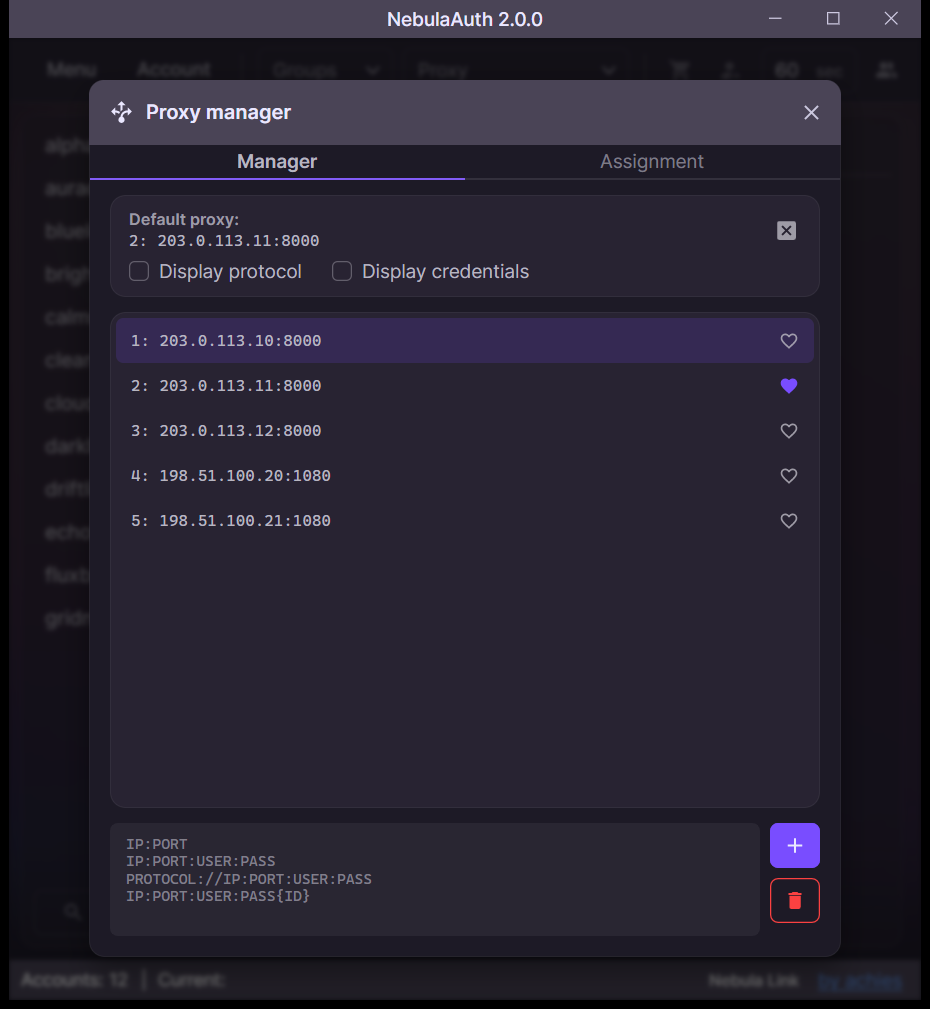
⚙️ Capabilities
In the proxy manager you can:
- add proxies
- delete proxies
- assign a default proxy
- copy a full proxy entry or only its address
✏️ Entering a proxy
Supported formats:
IP:PORT
IP:PORT:USER:PASS
USER:PASS@IP:PORT
protocol://IP:PORT
protocol://USER:PASS@IP:PORT
The default protocol is HTTP.
Tip
For SOCKS4 / SOCKS5 proxies, the protocol must be explicitly specified, for example: socks5://IP:PORT.
🆔 Using ID
When adding a proxy, you can specify an ID in curly braces:
IP:PORT:USER:PASS{0}The ID makes proxy management easier by letting you quickly identify a proxy by number.
All lines must contain a unique ID. If the specified ID already exists, the corresponding proxy will be overwritten.
🌐 Default proxy
You can assign a default proxy.
It is used as a fallback: if an account does not have its own proxy assigned, requests go through the default proxy. If neither an account proxy nor a default proxy is set, requests are sent directly.
account proxy → default proxy → directThe default proxy is useful when you want to control network requests and avoid working without a proxy.
If you delete the proxy assigned as the default, the application stops using it and works directly for accounts that do not have their own proxies.
Tip
If you need to completely prevent direct connections, you can specify a deliberately non-working proxy, for example 0.0.0.0:5555.
In this case, accounts with an assigned proxy will work as usual, while the others will not be able to send requests directly.
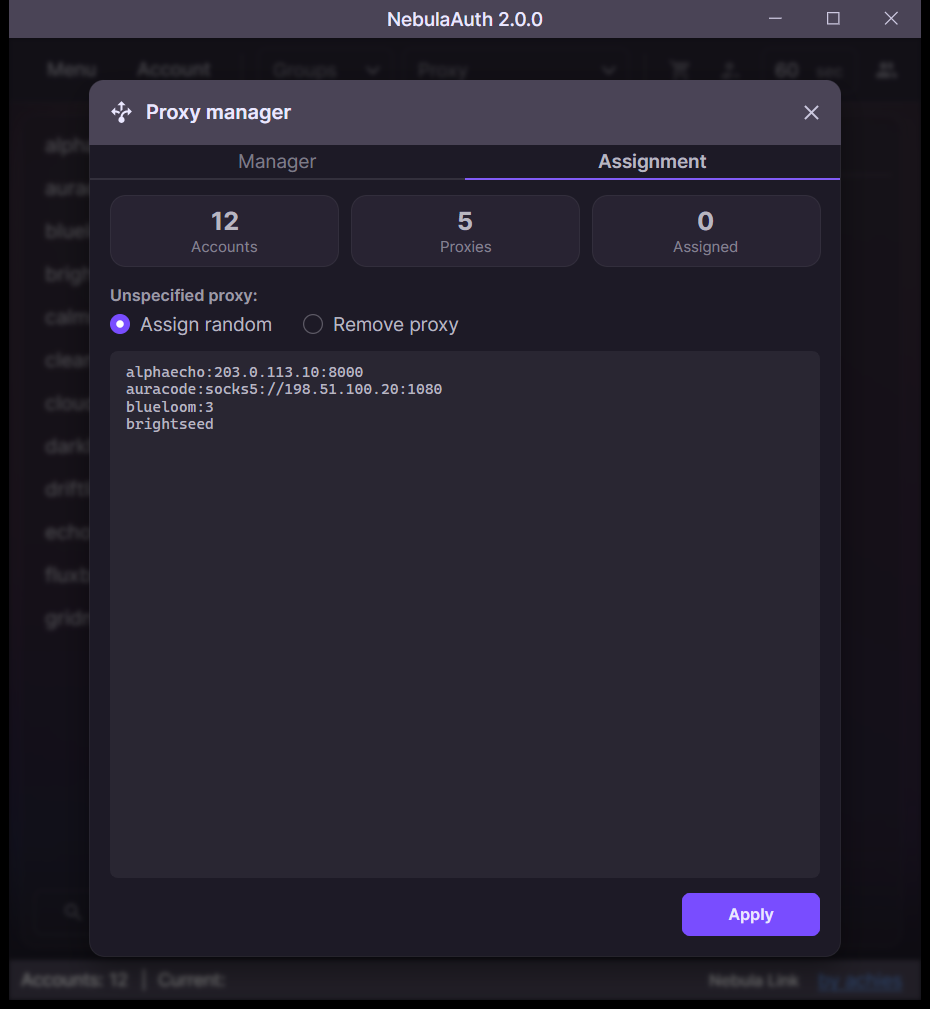
🔗 Assignment
The Assignment tab assigns proxies to many accounts at once. Enter one line per account:
login:proxy
login:ID
login
The proxy can be in any format from the list above. A proxy that is not in the manager yet is added to it.
For lines without a proxy, choose under Unspecified proxy: assign a random free proxy, one that no other account uses, or remove the account's proxy. Then click Apply.
❓ Frequently asked questions
What will happen if I delete a proxy from the manager?
The proxy is not deleted from the maFile.
The account keeps the attachment, but when you select this account, a red "Using proxy from maFile" icon is displayed. To fully unattach the proxy, remove the attachment from the account itself.
Where are proxies stored?
Proxies from the manager are stored in the proxies.json file in the data folder. The proxy attachment to the account is stored in that account's maFile.
Can I import proxies from a file?
There is no direct import, but you can easily add proxies from any text file:
- Open the file with proxies
- Copy the list
- Paste it into the proxy manager
Can I export proxies?
There is no direct export, but you can easily copy proxies from the manager:
- Right-click the required proxy
- Select "Copy" or "Copy address"
Can I edit proxies?
There is no direct editing, but you can overwrite a proxy by adding a new entry with the same ID.
Is there a limit on the number of proxies?
No.
You can add any number of proxies.
In the next section, we will look at how to use added proxies when working with accounts.