
Main parameters
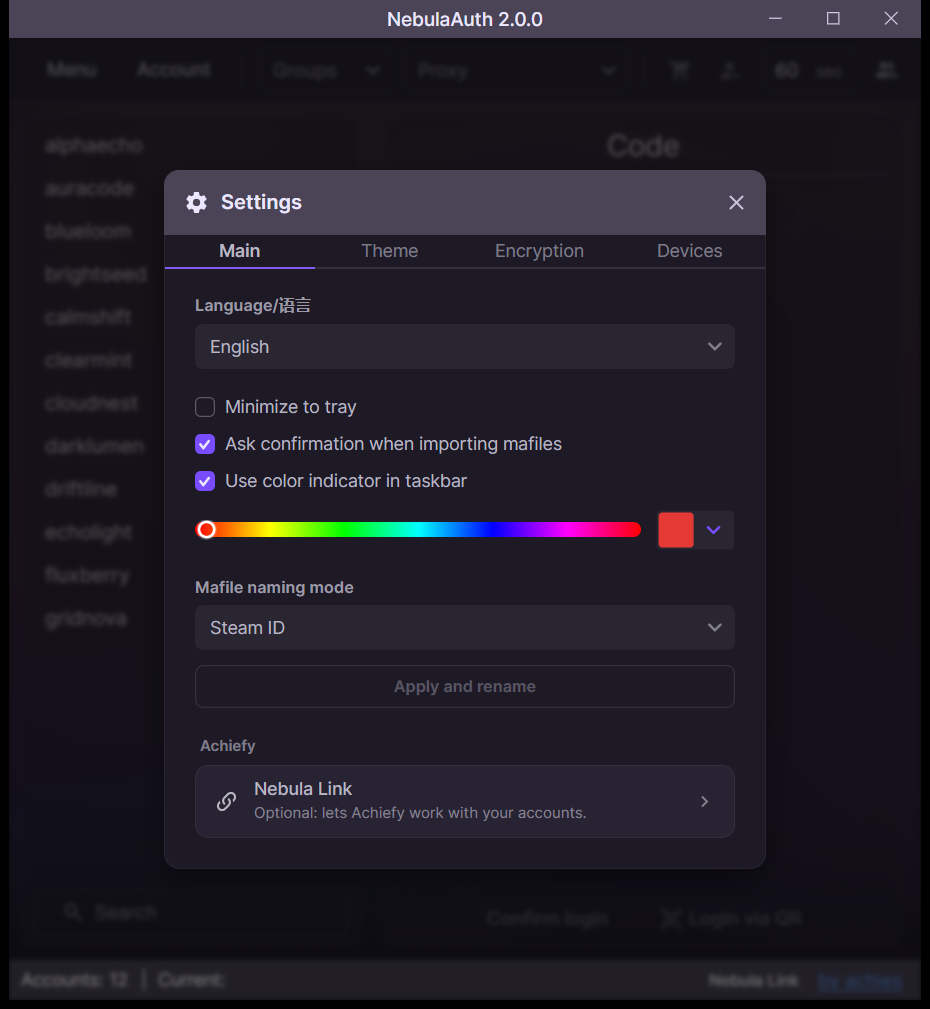
This section contains the main NebulaAuth settings that affect application behavior.
Language
You can choose the interface language:
- English
- Русский
- Українська
- 简体中文
- Français
- Español
- Türkçe
- Қазақша
The language can be changed in the settings without restarting and without editing files.
Minimize to tray
When enabled, the application window is minimized to the system tray.
Ask confirmation when importing mafiles
Shows the import window for every import, not only when some maFiles already exist.
Taskbar indicator
Adds a colored indicator to the application icon in the taskbar. Choose its color under the option.
This is useful when working with multiple NebulaAuth windows, because it lets you quickly tell instances apart.
maFile names
Determines how file names are generated:
- by SteamID
- by account login
After changing this option, click Apply.
During the process:
- a backup copy of all maFiles is created in
maFiles_backup - the files are renamed
- the result is shown, including successes, conflicts, and errors
Nebula Link
Connects NebulaAuth to Achiefy. More details: Nebula Link