
Nebula Link
Nebula Link connects NebulaAuth to Achiefy. Achiefy gets Steam Guard codes and confirmations from NebulaAuth on your computer, and the maFiles never leave it. How Nebula Link works on the Achiefy side is described in the Achiefy documentation (in Russian).
Connecting
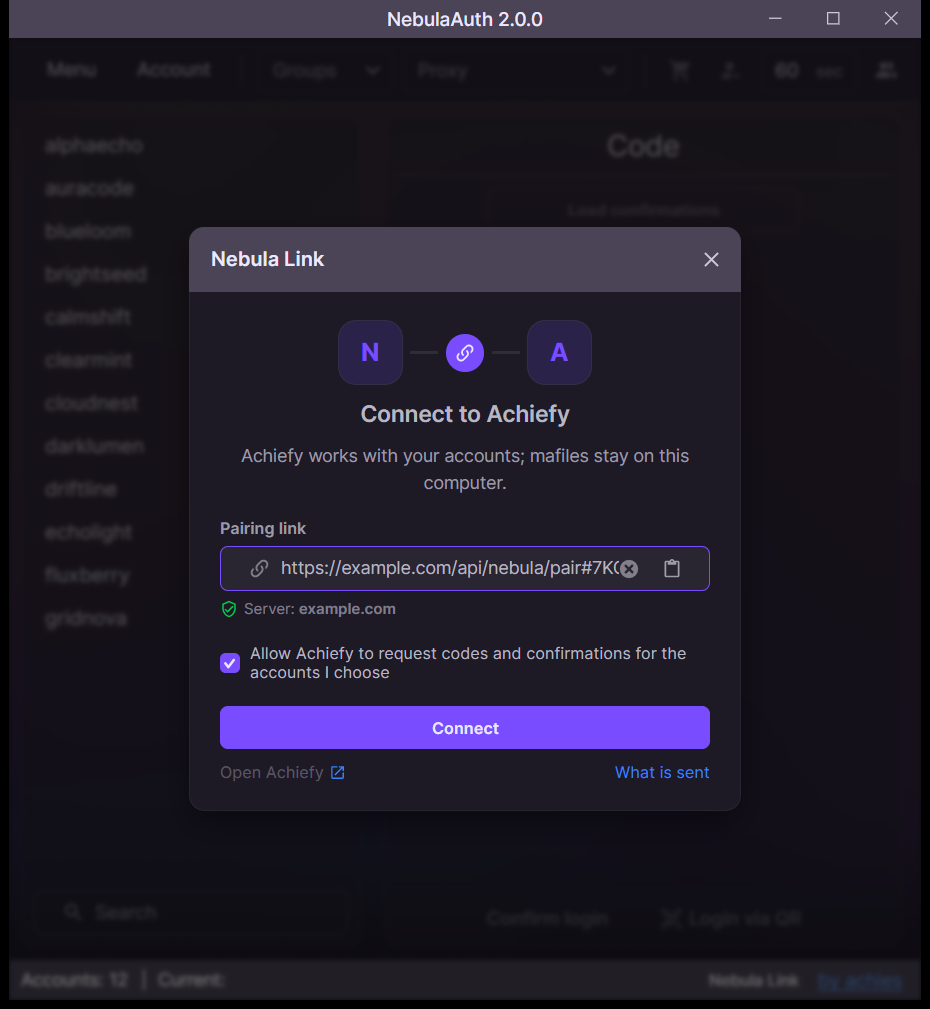
- In Achiefy, open Profile → Nebula Link and create a pairing link
- In NebulaAuth, click Nebula Link in the bottom panel or open Menu → Settings → Main → Nebula Link
- Paste the link, tick the consent and click Connect
- Click Continue if the Achiefy account is yours
- Confirm the computer in Achiefy
Accounts
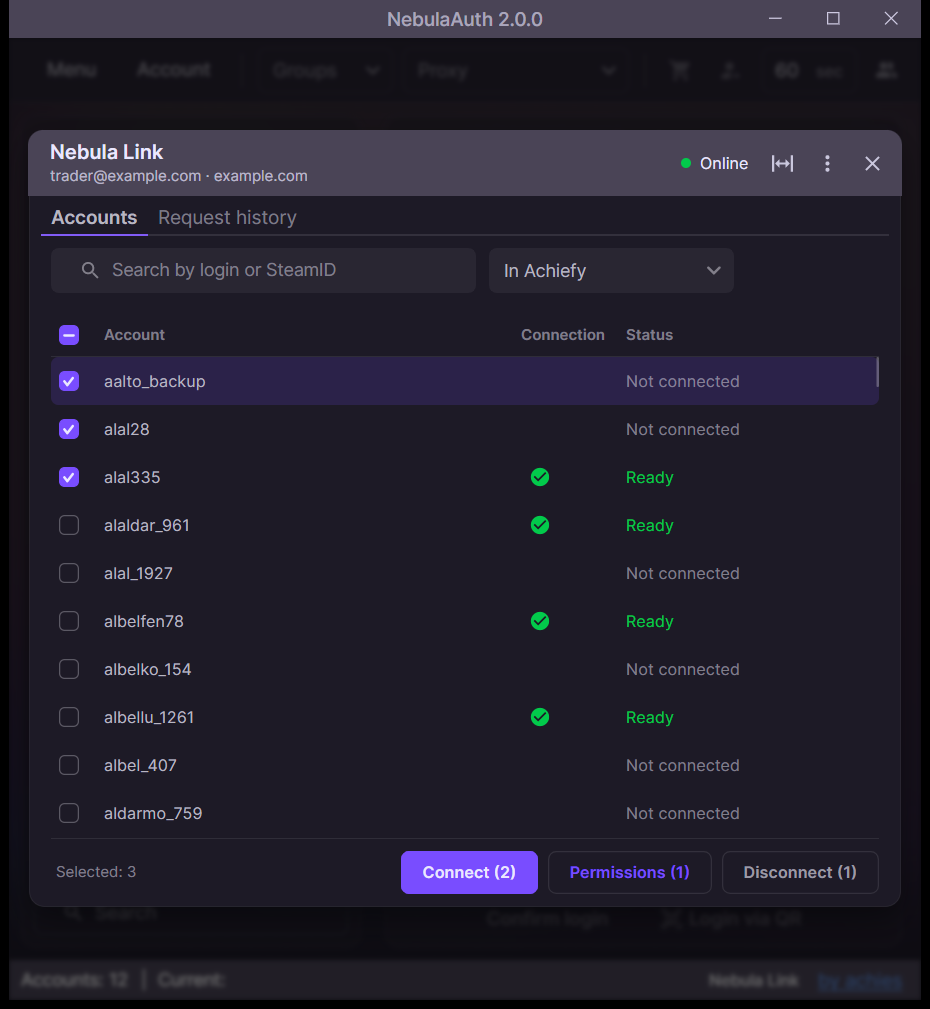
After connecting, choose the accounts Achiefy may work with. NebulaAuth matches them with Achiefy accounts by login.
Select the accounts and click Connect. The ↔ button widens the window to show more columns.
Auto-confirmations of NebulaAuth do not work for connected accounts.
Permissions
Permissions set what Achiefy modules may confirm for an account. All of them are off by default. Login codes and confirmation checks are always allowed.
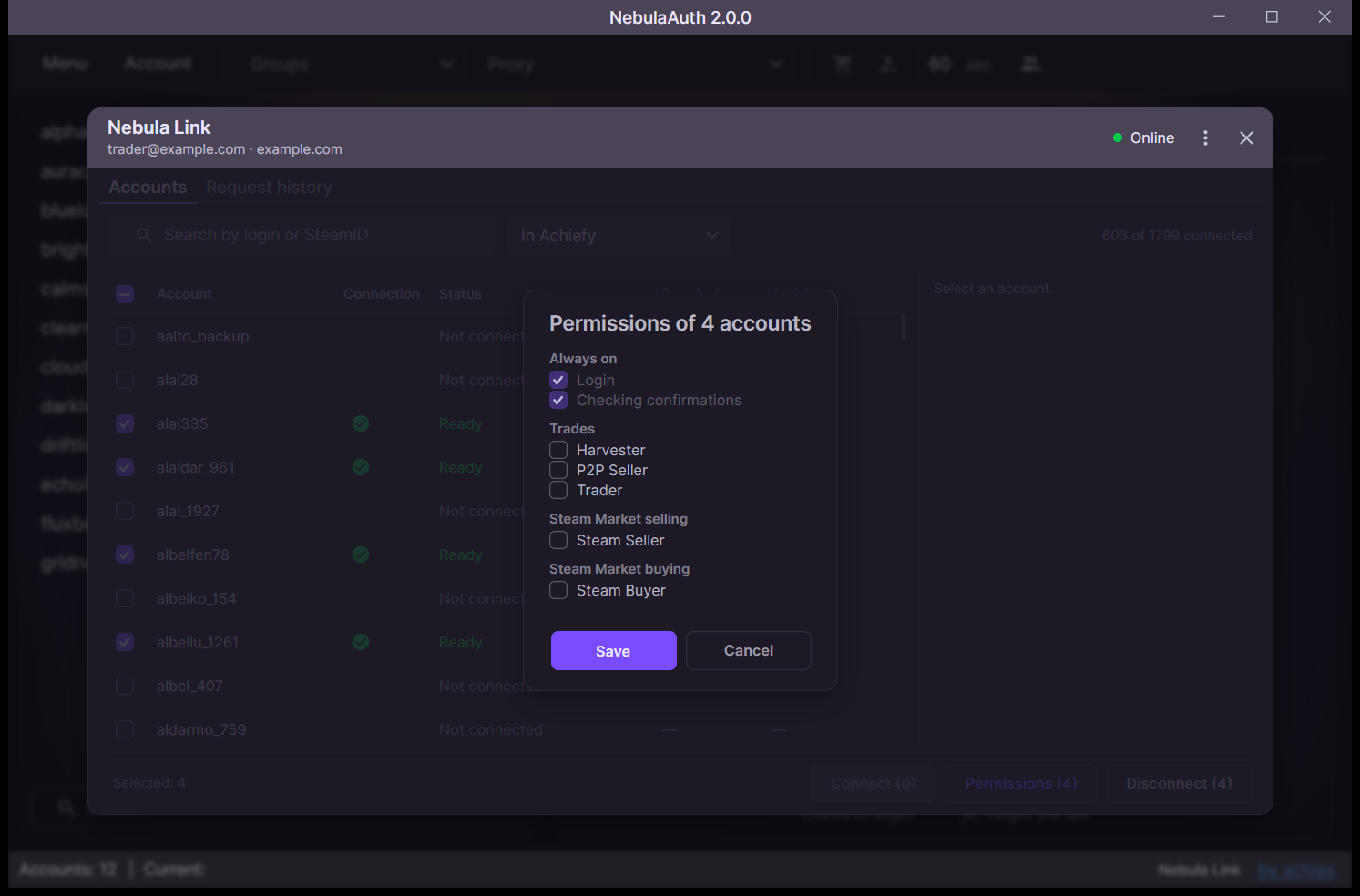
| Permission | Modules |
|---|---|
| Trades | Harvester, P2P Seller, Trader |
| Steam Market selling | Steam Seller |
| Steam Market buying | Steam Buyer |
Request history
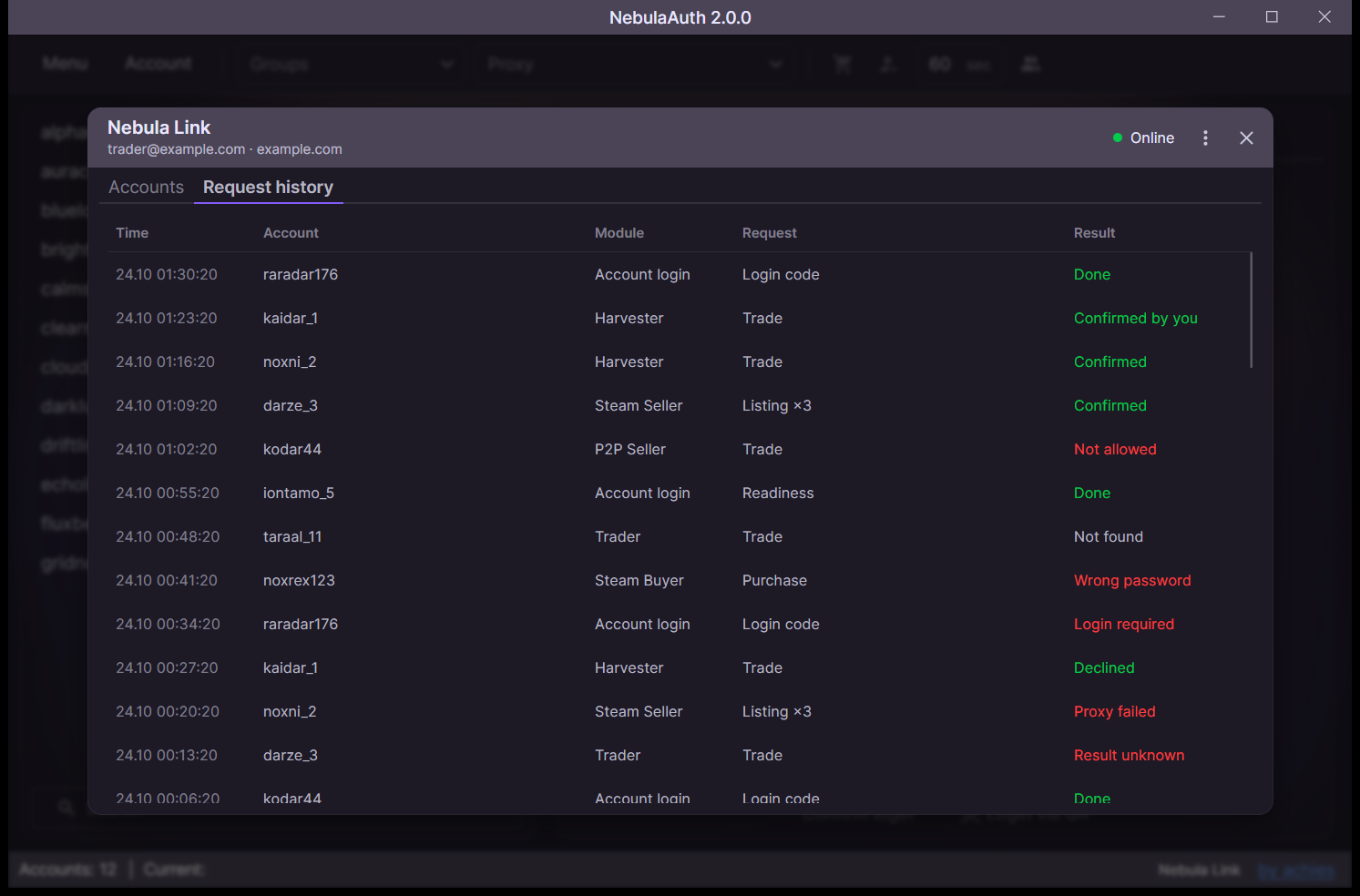
The Request history tab shows what Achiefy requested and the result.
Pause and unlink
In the ⋮ menu of the window, you can pause Nebula Link or unlink this computer.
Only one copy of NebulaAuth can be connected. If another copy connects, this one shows Used by another copy. Click Use here to take the connection back.