
Saving passwords
NebulaAuth lets you save account passwords so it can restore sessions automatically without your involvement. This feature also lets you quickly copy a password from the account context menu; see Context menu.
How it works
When necessary, for example if the session has expired, the application logs into the account again with the saved password.
Passwords are saved only while encryption is on. They are kept in a separate encrypted file, not in the maFile, so they are not copied or exported together with maFiles.
You can save a password:
- in the Login window, with the Save the password option
- when linking an account or moving Steam Guard
- for many accounts at once, see below
What is important to understand
- turning encryption off deletes all saved passwords
- passwords that NebulaAuth 1.x kept inside maFiles are removed at the first start of version 2, so set them again
- if Steam rejects a saved password, automatic login stops for that account until you save a new password
Mass password assignment
You can save passwords for several accounts at once.
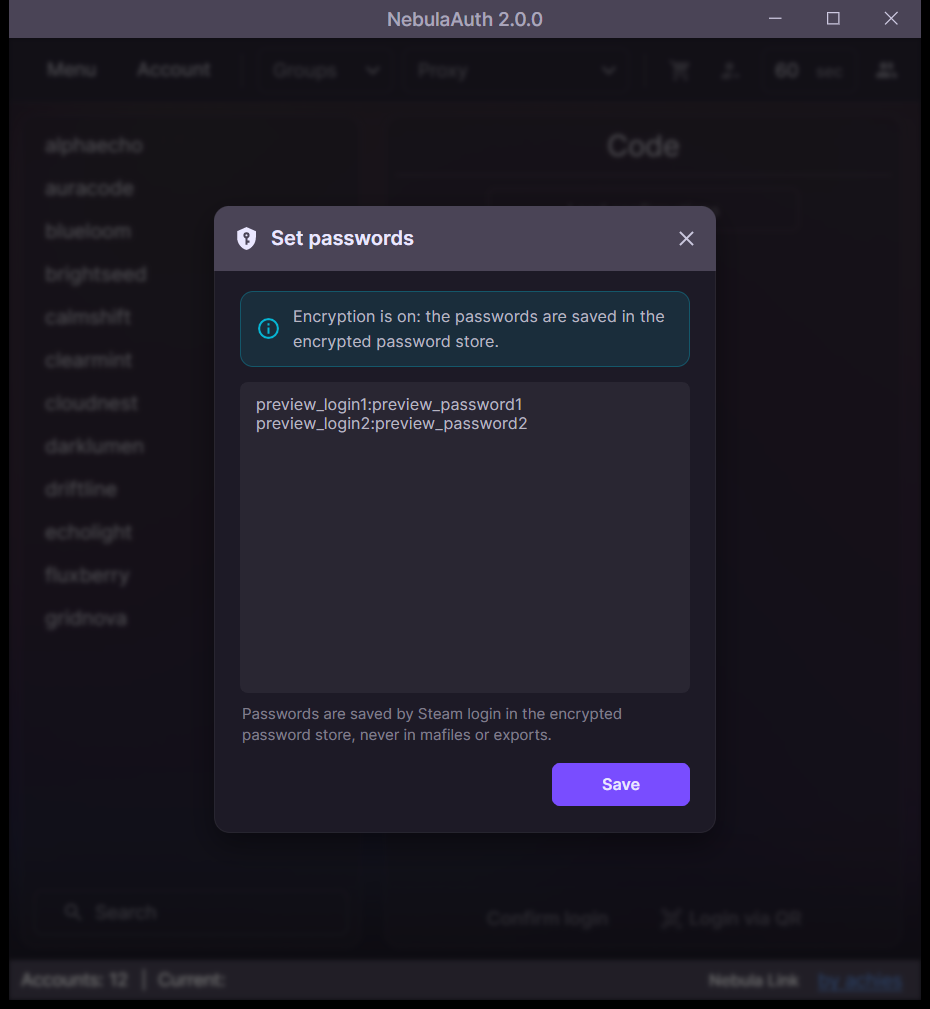
Format
Each line corresponds to one account:
text
login:password
SteamID:password
How to use
- Open Menu → Other → Set passwords
- Paste the list of lines
- Click Save
After applying the changes, you will see how many passwords were assigned successfully.